 Powered by KenzNote
Your AI Notetaker for Every Meeting
KenzNote joins your Google Meet, Zoom, or Teams calls and delivers accurate transcripts, AI summaries, and action items in under 5 minutes after the meeting ends.
98%+
Accuracy
50+
Languages
~3 min
Delivery


 KenzNote
Q2 Planning Call
Today · 45 min · 4 participants

Team agreed to launch Feature X by end of Q2. Marketing to prepare campaign assets by May 15. Engineering estimates a 3-week development cycle...
What is KenzNote?
KenzNote is an AI-powered meeting notetaker built for teams that run on Google Meet, Zoom, and Microsoft Teams. Instead of manually writing notes or missing key points mid-conversation, KenzNote sends a bot to your meeting that records and processes everything.
Within minutes of your meeting ending, you receive a full transcript, an AI-generated summary with key decisions, and a list of action items assigned to the right people, ready to share with your team.
How KenzNote Works
Three simple steps from meeting invite to ready-to-share notes.
Paste Your Meeting Link
Got a live meeting or one coming up? Just paste your Google Meet, Zoom, or Teams link. No calendar connection required; one link is all it takes.
Bot Joins Automatically
KenzNote sends a bot to your meeting right on time. It records everything with speaker identification, so you stay focused on the conversation.
Get Notes in Minutes
Within 3-5 minutes after the call ends, you receive a full transcript, AI summary, key decisions, and action items, ready to share or export.
See KenzNote in Action
A real look inside the app, from sending the bot to reading your notes.
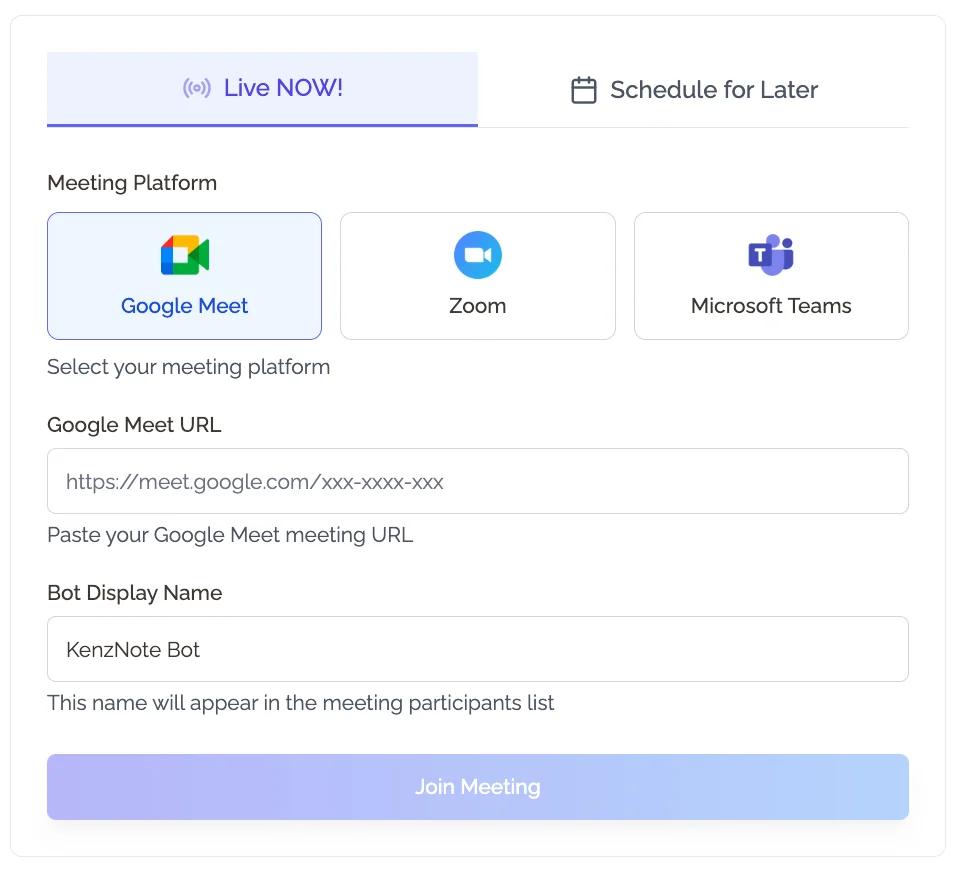
Paste a link, and you're done
Just paste your Google Meet, Zoom, or Teams link. KenzNote sends a bot that joins right on time, with no plugins or calendar setup required.
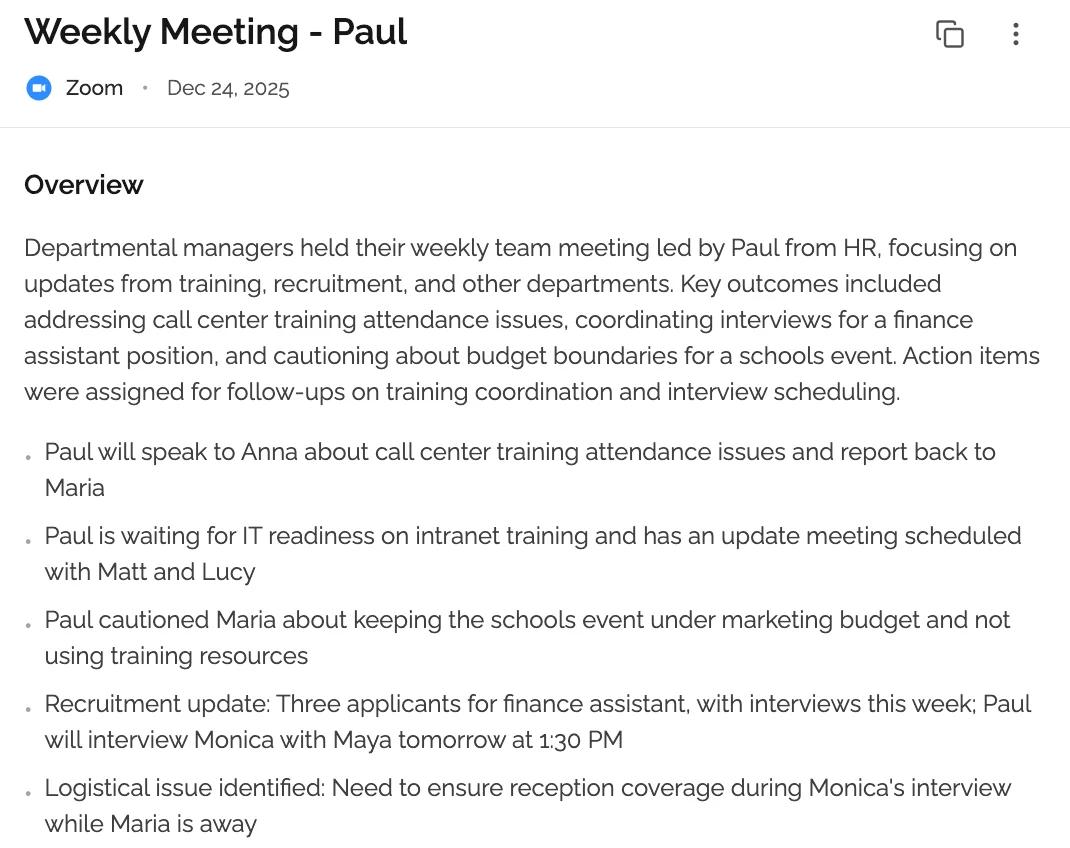
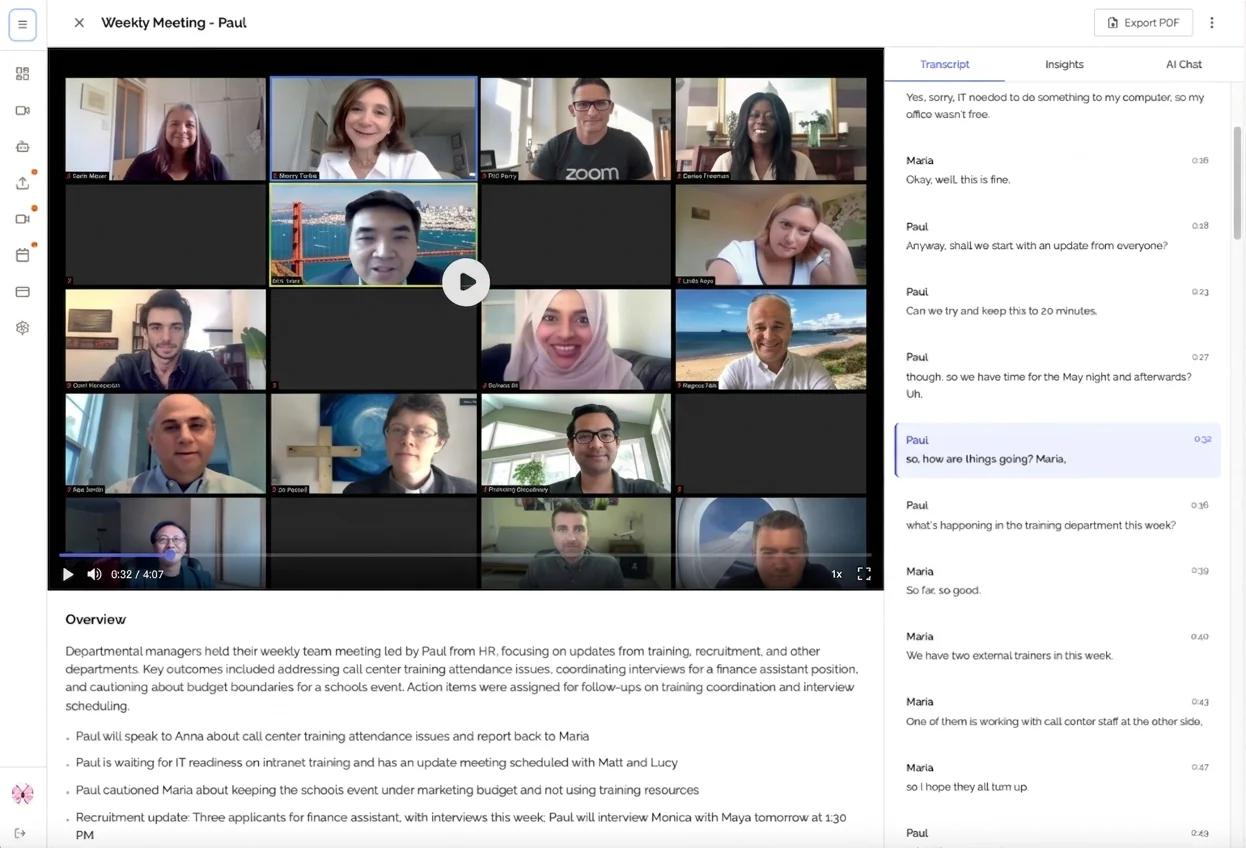
Your meeting, distilled in seconds
KenzNote generates a concise executive summary with key decisions, topics discussed, and next steps, ready to share with your team immediately after the call.
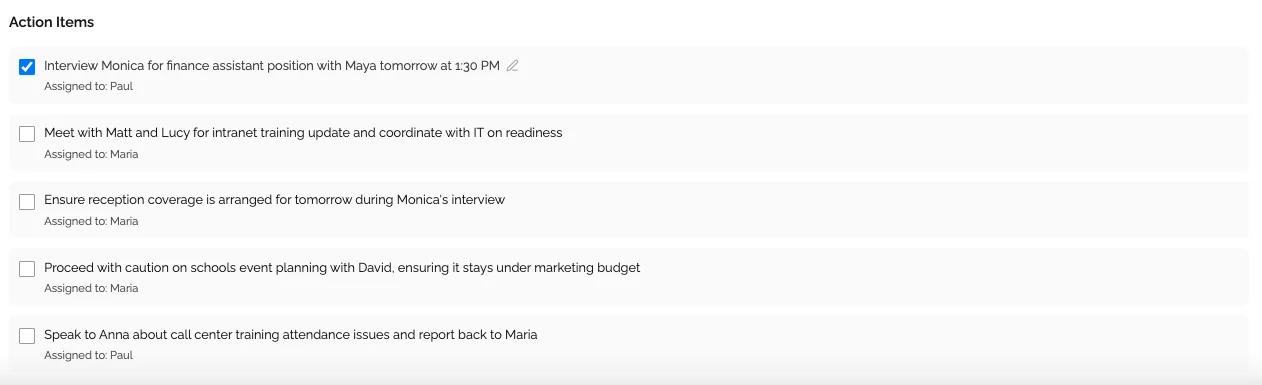
Every task, assigned to the right person
Action items are automatically extracted and assigned to the right team members. No more chasing follow-ups or digging through recordings.
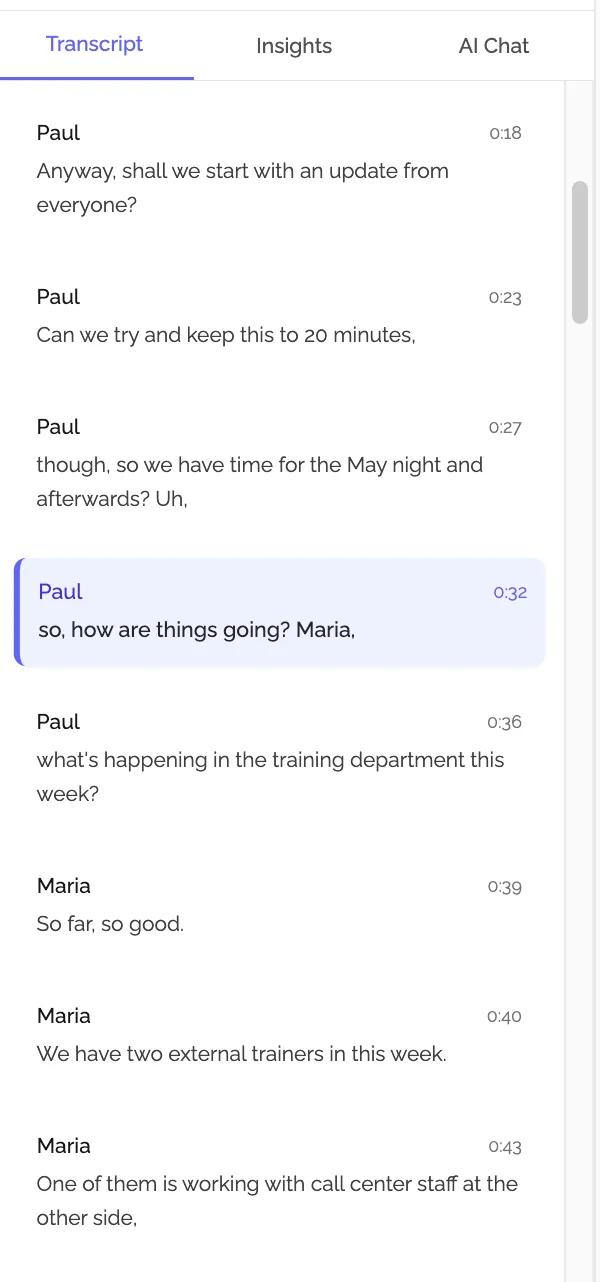
Word-for-word, speaker by speaker
Get a searchable, speaker-labeled transcript of everything said. Never lose context again; scroll, search, and quote exact words from any part of the conversation.
Everything You Need From Every Meeting
KenzNote goes beyond recording. It understands your meetings.
Accurate Transcription
98%+ accuracy across 50+ languages. Every word captured, even in noisy environments.
AI-Powered Summaries
Automatically generated executive summaries with key decisions, topics discussed, and next steps.
Action Items Extraction
AI identifies and extracts tasks, assigns them to the right team members, and tracks them automatically.
Speaker Identification
Automatically detects and labels who said what. No more guessing in long transcripts.
50+ Languages
Transcribe and summarize meetings in English, Turkish, German, Spanish, French, Arabic, and 45+ more.
GDPR Compliant
All recordings and transcripts are encrypted and stored securely. Full compliance with data protection regulations.
Works With Your Favorite Platforms
KenzNote integrates seamlessly with the tools your team already uses.
Google Meet
Full support for Google Workspace meetings with calendar sync.

Zoom
Works with any Zoom meeting, free or paid.
Microsoft Teams
Seamless integration with Microsoft 365 and Teams meetings.
Also supports direct audio/video file uploads from any source.
Built for Teams That Move Fast
From sales calls to all-hands meetings, KenzNote has you covered.
Sales & Customer Success
- Capture every client requirement automatically
- Review call transcripts before follow-ups
- Extract commitments and next steps
- Build a searchable library of customer conversations
Project Management
- Auto-generate meeting minutes in seconds
- Track action items and owners across sprints
- Share standup notes with distributed teams
- Keep stakeholders aligned without extra work
Research & User Interviews
- Transcribe user interviews accurately
- Identify themes and patterns at scale
- Quote exact user words in reports
- Focus on listening, not note-taking
Remote & Distributed Teams
- Async-friendly meeting summaries
- Let teammates catch up without watching recordings
- Searchable meeting archive for your whole team
- Works across time zones and languages
Frequently Asked Questions
Everything you need to know about KenzNote
KenzNote is an AI meeting notetaker. You connect your Google Calendar or Outlook, and a bot automatically joins your Google Meet, Zoom, or Teams meetings. After the meeting, it delivers a full transcript, AI summary, key decisions, and action items, typically within 3-5 minutes.
No. You can simply paste your meeting link (whether it's live right now or scheduled for later) and the KenzNote bot will join automatically at the right time. Calendar sync is optional for hands-free scheduling.
KenzNote supports Google Meet, Zoom, and Microsoft Teams. You can also upload audio or video files directly if you recorded a meeting elsewhere.
KenzNote achieves 98%+ transcription accuracy and supports 50+ languages including English, Turkish, German, Spanish, French, Arabic, Indonesian, and more.
Yes. All recordings and transcripts are encrypted in transit and at rest. KenzNote is GDPR compliant. You can delete your data at any time.
Each summary includes an executive overview, key decisions made, discussion topics, and a list of action items with the responsible owner and any mentioned deadlines.
Yes, the KenzNote bot appears as a participant in the meeting, so all attendees are aware that the session is being recorded. Transparency is built in.
 ×
×


Start Getting Perfect Meeting Notes Today
Join teams that have stopped taking manual notes. KenzNote captures everything so you can focus on the conversation.
SECURE & COMPLETELY CUSTOMIZED DATA TRANSCRIPTION FOR A VARIETY OF INDUSTRIES



