 New • AI chat for transcripts
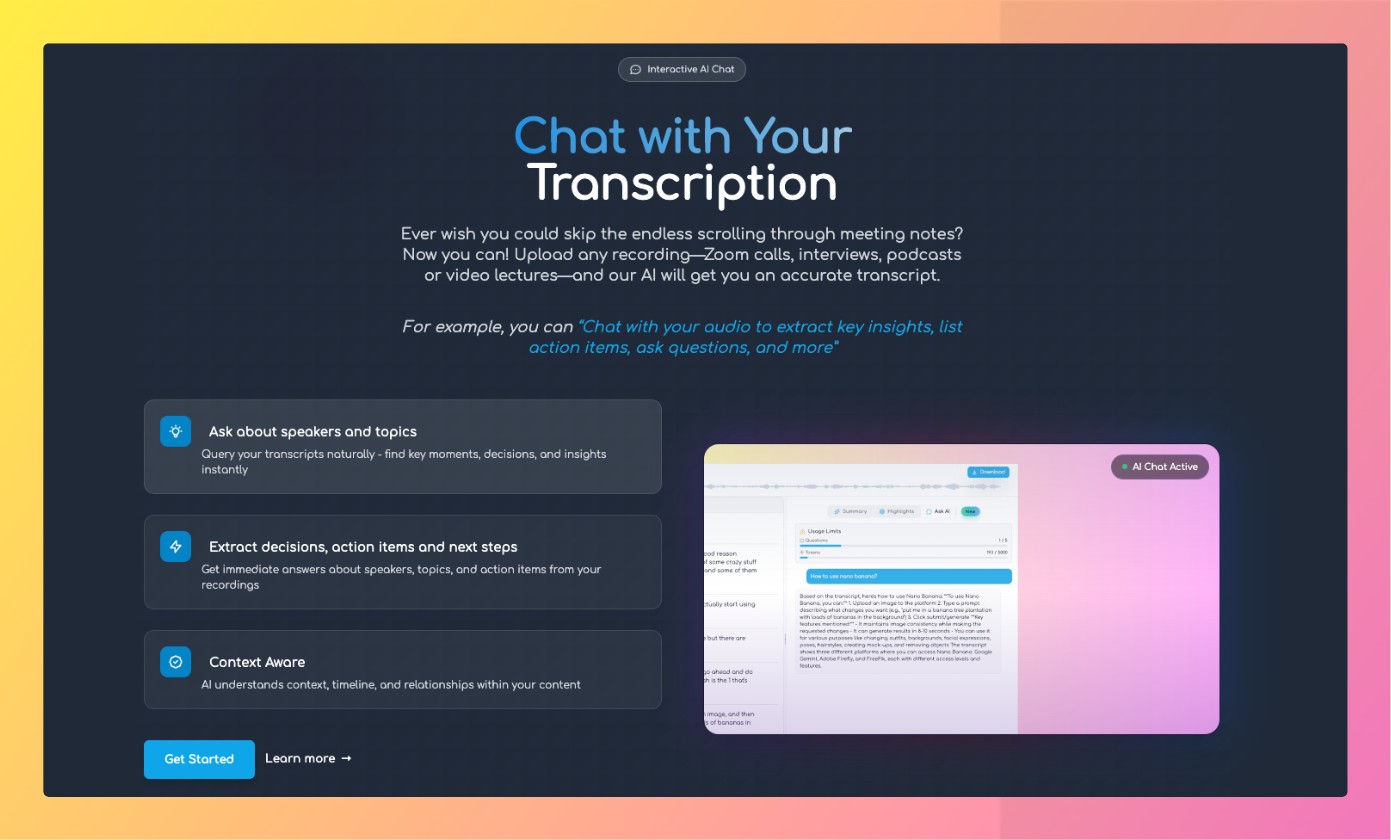
Chat with Transcription
AI Chat vs Keyword Search
Keyword search is fast—but brittle. AI chat understands meaning, grounds answers with citations, and supports follow‑ups.
Pay‑as‑you‑go. No subscription.
The Power of Chat with Transcription
Transform how your team handles meetings with AI‑powered highlights that deliver measurable improvements in productivity, accuracy, and collaboration.
Massive Time Savings
Automated meeting notes eliminate manual documentation, saving each team member 3–5 hours weekly. Focus on contributing to meetings instead of frantically taking notes.
Enhanced Collaboration
Smart highlights and meeting minutes with clear action items and ownership create accountability and keep remote and async teams aligned.
Superior Accuracy
Human note‑takers miss 40% of key information while multitasking. Our AI captures every detail with 98%+ accuracy, ensuring nothing important is lost.
- Complete capture of all discussions
- Perfect action item identification
- Consistent formatting and structure
- No human bias or missed details
Ask better questions, get better answers
Use conversational follow‑ups to refine scope, add context, and reach decision‑ready insights.
- • Clarify intent: “Focus on objections from Speaker B”
- • Add context: “Only from week 2 calls”
- • Verify sources with timestamps
Problems with Keyword Search

Misses meaning
Synonyms, paraphrases, and implied intent are easily missed.

Lots of noise
High false positives in long transcripts make you skim manually.

No direct answers
Only raw matches—no reasoning or citations.

Semantic understanding
Ask about meaning, not exact words.

Grounded answers
Citations and timestamps show where answers came from.
Follow‑ups
Iterate until you have exactly what you need.
Use keyword search when…
- Looking up a unique term or name
- Quick navigation within a single file
- Skimming mentions of a specific phrase
Use AI chat when…
- You need an answer, not just matches
- Content uses synonyms, paraphrases, or complex phrasing
- Working across many files or long multi‑speaker sessions
Γιατί να επιλέξετε το Transgate;
Κορυφαία τεχνολογία μεταγραφής με ασφάλεια επιχειρηματικού επιπέδου
Χαρακτηριστικά AI
Περιλήψεις AI, επισημάνσεις και συνομιλία έτοιμα προς χρήση
50+ Γλώσσες
Υποστήριξη για τις κύριες παγκόσμιες γλώσσες με υψηλή ακρίβεια
Ασφάλεια Επιχειρήσεων
GDPR compliant with end-to-end encryption
Όλες οι Μορφές Αρχείων
MP3, WAV, MP4, MOV, AVI και όλοι οι τύποι ήχου και βίντεο
Πολλαπλές Επιλογές Εξαγωγής
Λήψη ως TXT, SRT, VTT, DOCX, PDF μορφές
Πληρωμή ανά χρήση
Χωρίς συνδρομές. Κλιμακώστε ελεύθερα
FAQ
Can I combine search and chat?
Yes, many workflows start with a search and continue with chat for deeper answers.
Does chat work across multiple files?
No, chat is limited to a single file. Soon you can search across multiple files.
Start transcribing with AI features today
No subscription, pay as you go. Upload a file and turn hours into insight.
- No subscription
- Pay‑as‑you‑go
- Cancel anytime
ΑΣΦΑΛΗ & ΠΛΗΡΩΣ ΠΡΟΣΑΡΜΟΓΜΕΝΗ ΜΕΤΑΓΡΑΦΗ ΔΕΔΟΜΕΝΩΝ ΓΙΑ ΠΟΙΚΙΛΙΑ ΒΙΟΜΗΧΑΝΙΩΝ



